



JEE Main Candidate Login Window 2026 – Direct Link Activated
NTA has activated the JEE Main candidate login window 2026 on its official website. The JEE Main candidate login 2026 link was released on October 31, 2025, for Session 1.
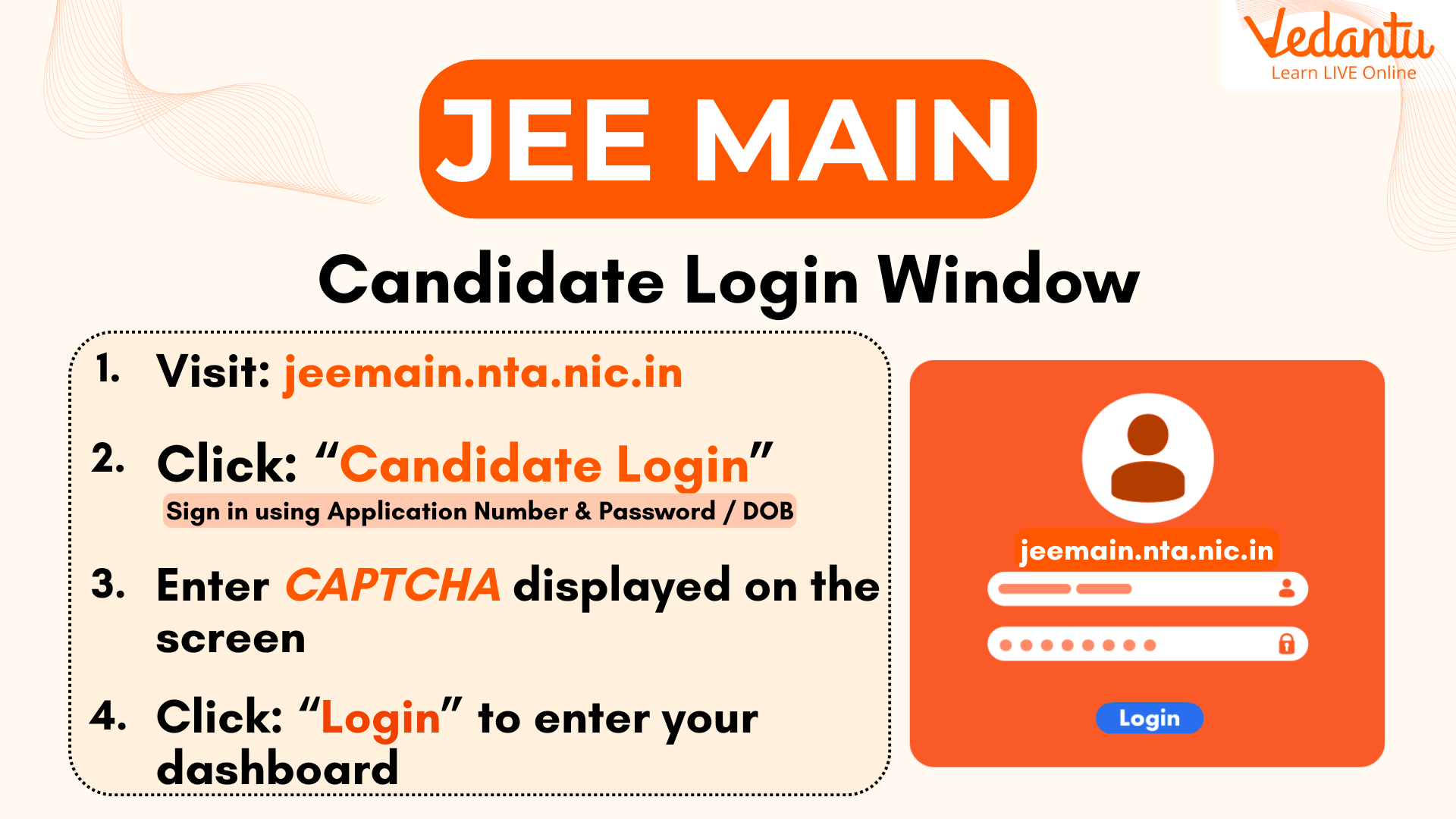
Students must first finish their JEE Main 2026 Registration to generate their application credentials. The NTA JEE Main candidate login 2026 portal should be used to access all exam-related services.
With this login portal, candidates can easily complete important tasks such as registration, form correction, and admit card download. The portal securely stores all exam details, ensuring quick and convenient access whenever needed.
Step-by-Step Process for JEE Mains Application New Registration 2026
Click on the JEE Main 2026 registration link available under the Candidate Activity section.
Enter your basic details, including name, mobile number, and email ID, to register.
Once registered, the system will generate your JEE Main student login credentials, which include your application number and password.
How to Use the JEE Main Candidate Login 2026 to Fill the Application Form?
Once registered, candidates can log in to the JEE Main 2026 application login portal using their application number and password to complete the form. Follow the steps below to fill out the JEE Main registration form 2026 successfully:
Visit the official NTA website – jeemain.nta.nic.in
Sign in through the JEE Main candidate login 2026 using your generated credentials.
Enter all required details such as personal, academic, and contact information.
Select your preferred exam centres and upload the necessary documents as per the guidelines.
Pay the JEE Main 2026 application fee through the available online payment modes.
Review the details carefully and submit the application form.
After successful submission, students can revisit the JEE Main student login portal anytime to check their application status or make corrections when the window opens.
What are the Credentials Needed to Access the JEE Main Candidate Login 2026?
Application Number – Generated after successful registration.
Password – Created by the candidate during sign-up.
Forgot JEE Main Password or Application Number?
Follow the steps below to retrieve your login credentials easily:
Visit the official NTA JEE Main website – jeemain.nta.nic.in
On the candidate login page, click on “Forgot Password” or “Forgot Application Number.”
Enter your registered email ID or mobile number as prompted.
Complete the verification by answering the security questions or OTP verification.
Once verified, you’ll receive your recovery details or can reset your password.
JEE Main 2026 Application Login Dates
Below are the detailed JEE Main registration dates 2026 for both sessions to help students stay updated.
Note: Aspirants will not be able to access the JEE Main candidate login 2026 portal after the last date.
JEE Main 2026 Registration Dates – Session 1
JEE Main 2026 Registration Dates – Session 2
Other Uses of the JEE Main Login Portal 2026
JEE Main 2026 Admit Card Login
Visit: jeemain.nta.nic.in
Click “Download Admit Card” → Sign in using Application Number & Password / DOB.
Download & print your hall ticket for exam day.
(Verify name, date, center, and shift details carefully.)
JEE Main 2026 Answer Key Login
Go to jeemain.nta.nic.in.
Click “Answer Key” → Log in with credentials.
Download, match answers, and raise objections (if any) within the given period.
JEE Main 2026 Result Login
Open the JEE Main result login 2026 page.
Enter your Application Number & Password.
Check and download your scorecard showing percentile, AIR, and qualification status.
Troubleshooting JEE Main 2026 Login Issues
Candidates may sometimes face errors while accessing the JEE Main 2026 candidate login portal due to incorrect credentials, browser issues, or server delays. Follow these quick fixes for smooth access:
Re-enter your application number and password carefully.
Delete browser cookies and use a stable internet connection.
If the session expires, refresh or reopen the JEE Main login portal.
Too many failed logins can temporarily block access.
Use “Forgot Password” or “Forgot Application Number” options if needed.
Need help? Contact the NTA Helpdesk at 011-69227700 or 011-40759000.
Important Study Materials Links for JEE Exams


FAQs on JEE Main 2026 Application Login: Direct Link, Registration, Form Fill, and Steps
1. How can I log in to my JEE Main account?
Candidates can access their account through the JEE Main candidate login 2026 portal by entering their application number and password on the official NTA website — jeemain.nta.nic.in.
2. Is the JEE Main candidate login 2026 window active?
Yes. The JEE Main candidate login window 2026 has been activated along with the official registration process for Session 1.
3. What credentials are required for JEE Main 2026 login?
To access the JEE Main candidate login 2026 portal, candidates must use their Application Number, Password, and the Security Pin displayed on the screen. These credentials are mandatory for all activities inside the JEE Main candidate login window, such as downloading the admit card, checking results, or editing details.
4. How can I recover my JEE Main login credentials?
If you forget your login details, visit the official JEE Main candidate login window and click on “Forgot Password” or “Forgot Application Number.” Enter your registered email ID or mobile number to safely recover or reset your credentials through the NTA system.
5. Can I correct my JEE Main 2026 application form using the login?
Yes. Candidates can edit their details in the JEE Main 2026 application form through the JEE Main candidate login portal. Log in using your credentials to make changes and re-submit the updated form.
