






What is Notepad and how it works in Windows for coding and text editing
Notepad is a simple and lightweight text editor that comes pre-installed with the Microsoft Windows operating system. It is widely used for creating and editing plain text files without any complex formatting. In computer science, Notepad plays an important role in writing basic programs, editing configuration files, and understanding text-based file structures. Due to its simplicity and ease of use, it is often the first tool beginners use to write code in languages like HTML, CSS, Python, or C. Notepad helps users focus purely on text content without distractions.
Definition and Meaning
Notepad definition refers to a basic text editing application in Windows that allows users to create, open, edit, and save plain text files. It does not support advanced formatting like fonts, colors, or images.
- Text Editor - A software used to create and modify text files.
- Plain Text - Text without formatting such as bold, italics, or images.
- .txt File - Default file extension used by Notepad.
- Lightweight Application - Requires very little system memory and storage.
How Notepad Works
The Notepad working process is simple and efficient. It allows users to directly type and edit text in a blank workspace and save it as a file on the computer.
- The user opens Notepad from the Start menu or search bar.
- A blank document appears in the text area.
- The user types text using the keyboard.
- The file is saved using the File menu with a chosen name and extension.
- The saved file can be reopened and edited later.
Notepad stores data as plain text characters using standard encoding formats like UTF-8 or ANSI. It does not insert hidden formatting codes, which makes it ideal for programming and configuration tasks.
Opening Notepad in Windows 10
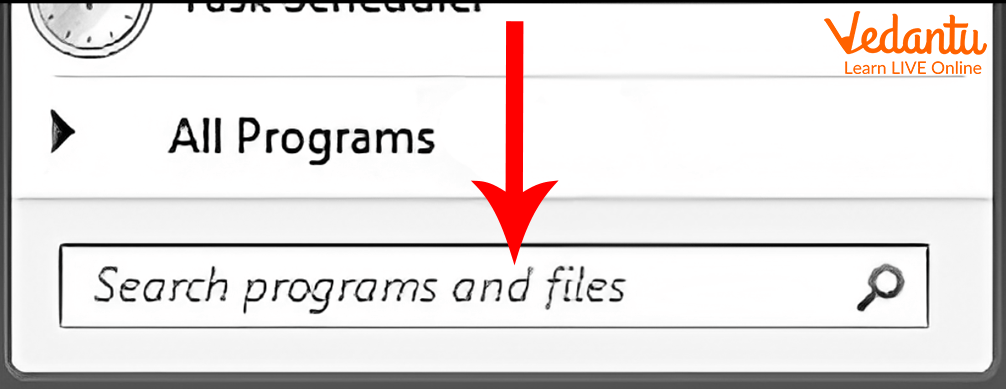
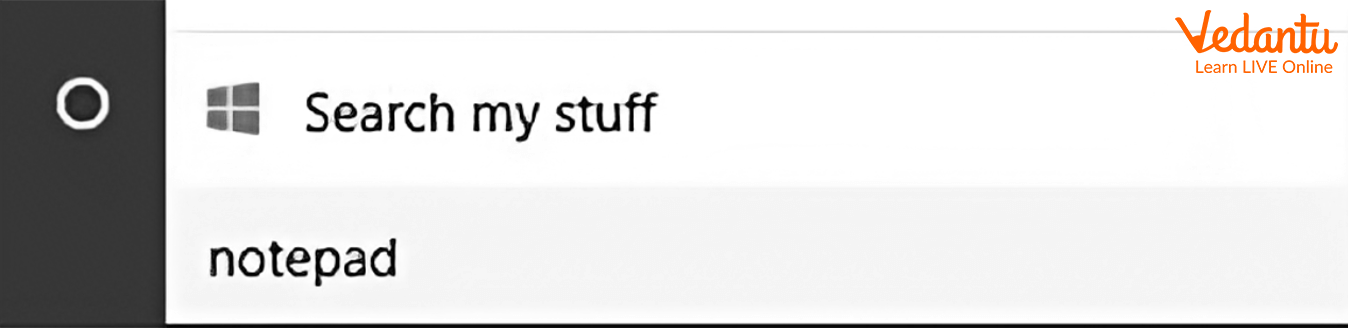
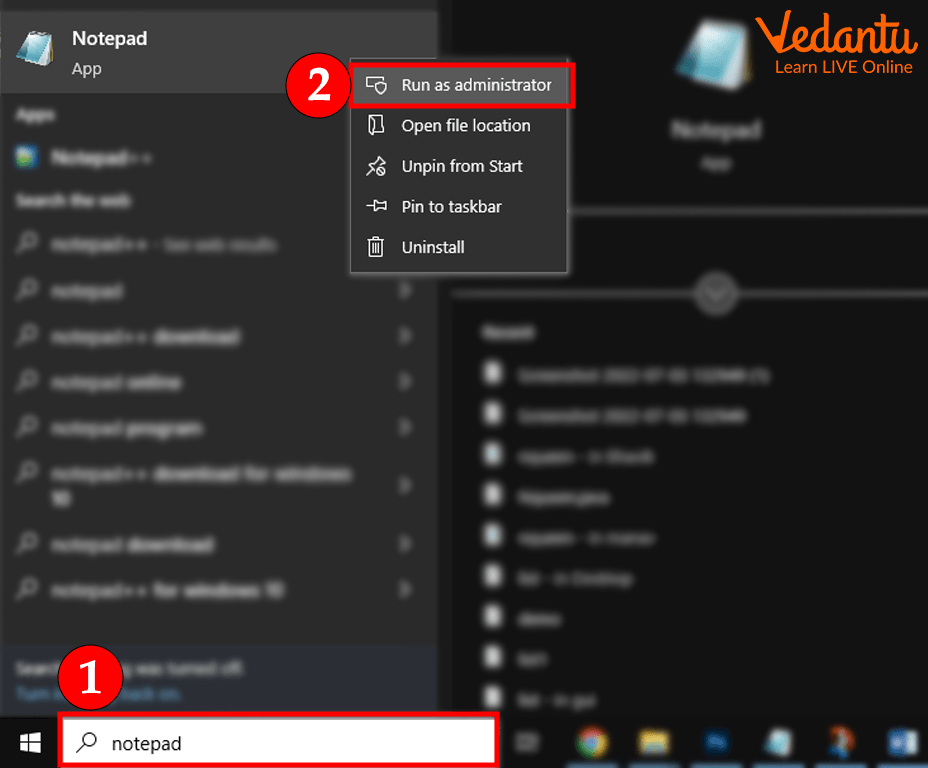
Follow these steps to open Notepad in Windows 10:
- Click on the Search box in the taskbar.
- Type Notepad in the search field.
- Select the Notepad application from the results.
Components of Notepad Window
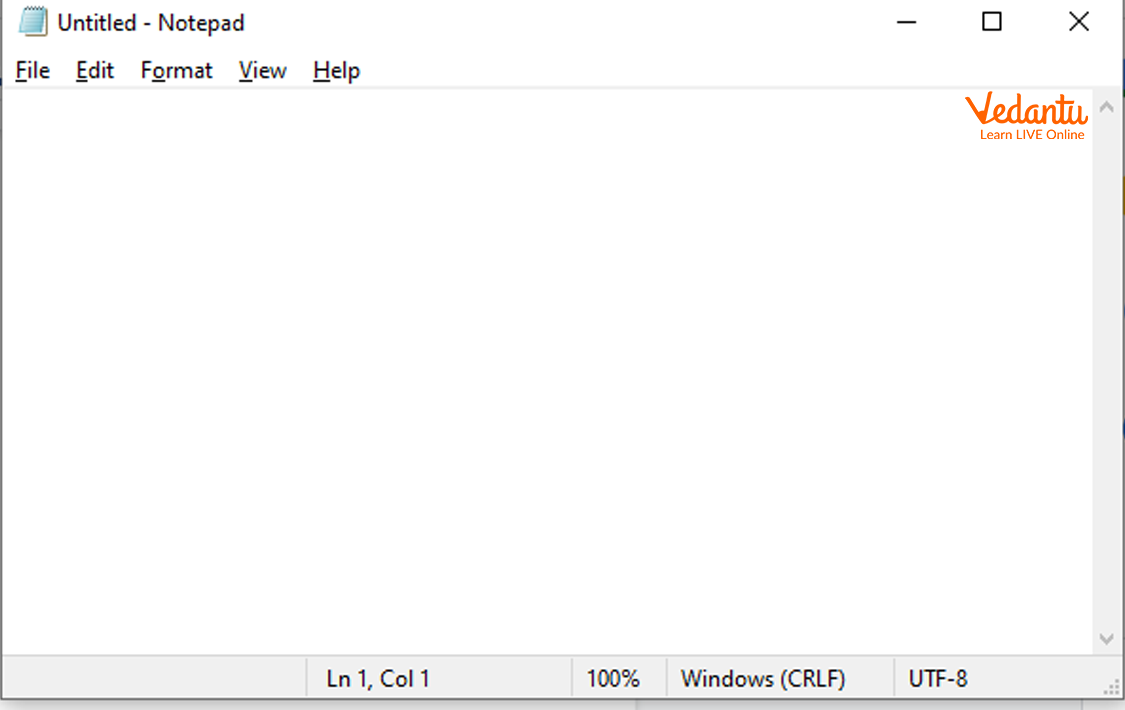
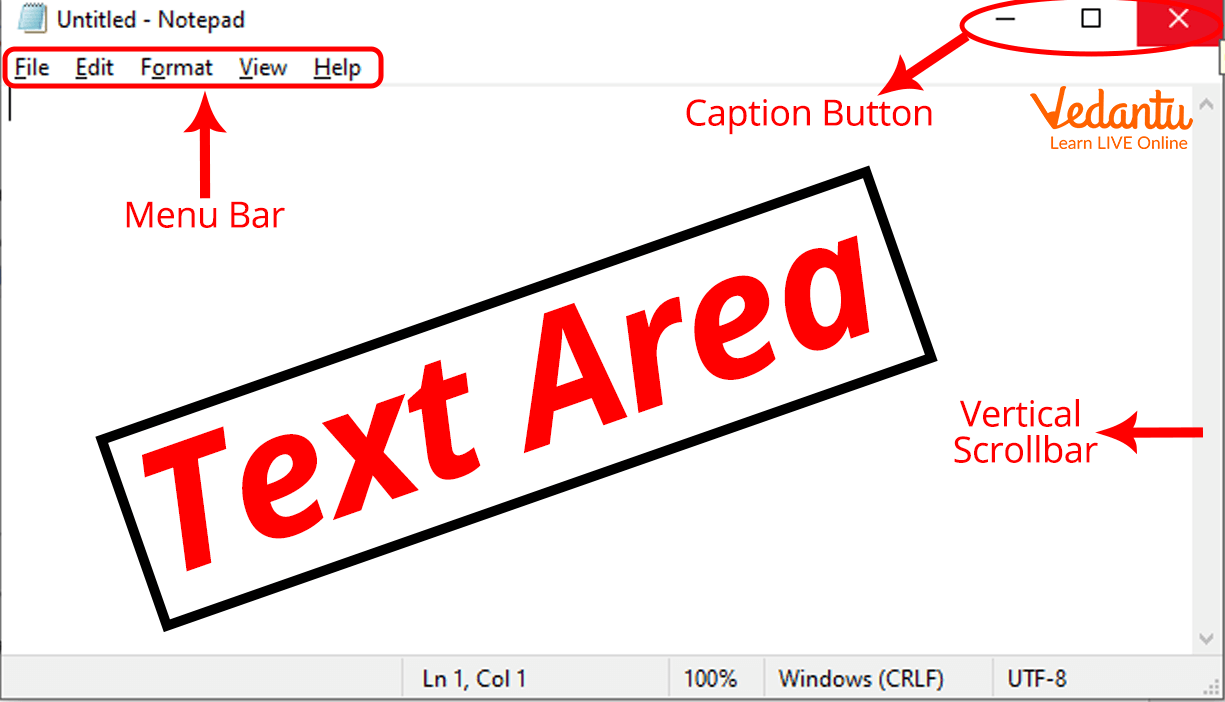
The Notepad window consists of several important components that help users manage text files efficiently.
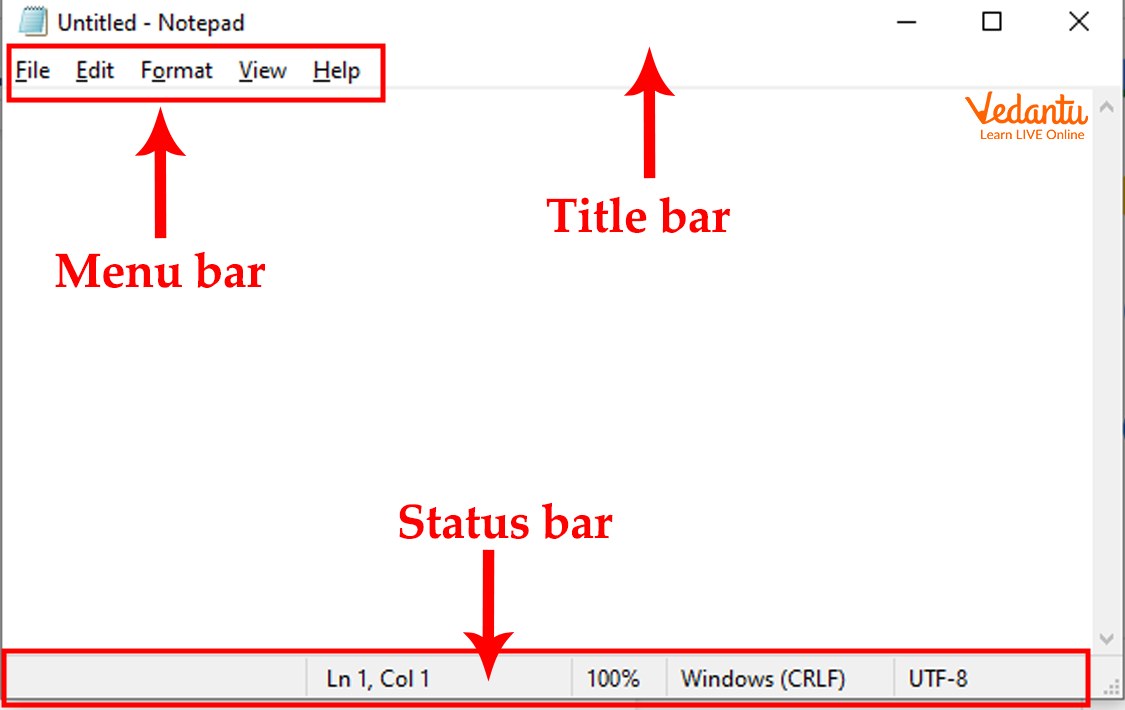
- Title Bar - Displays the file name and application name.
- Menu Bar - Contains File, Edit, Format, View, and Help menus.
- Text Area - Main area where users type and edit text.
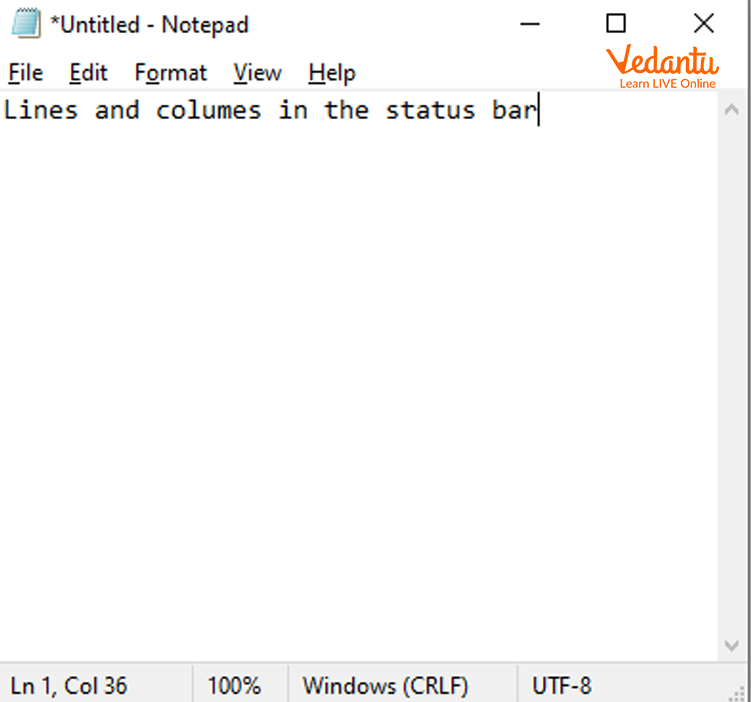
- Status Bar - Shows line number, column number, and zoom level.


Menu Options in Notepad
File Menu
The File menu allows users to create, open, save, and print documents.
Edit Menu
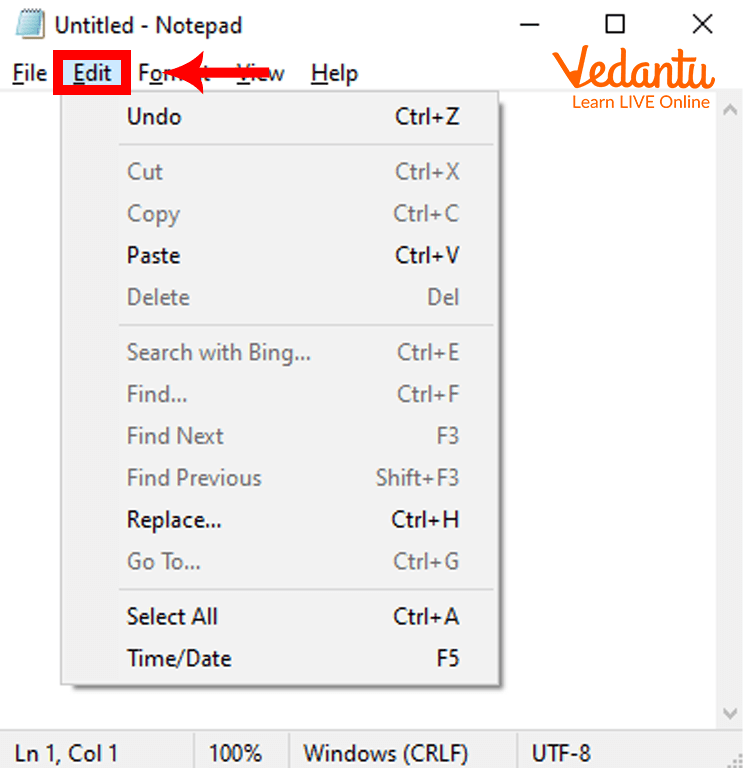
The Edit menu provides options such as Undo, Cut, Copy, Paste, Delete, Find, Replace, and Select All.
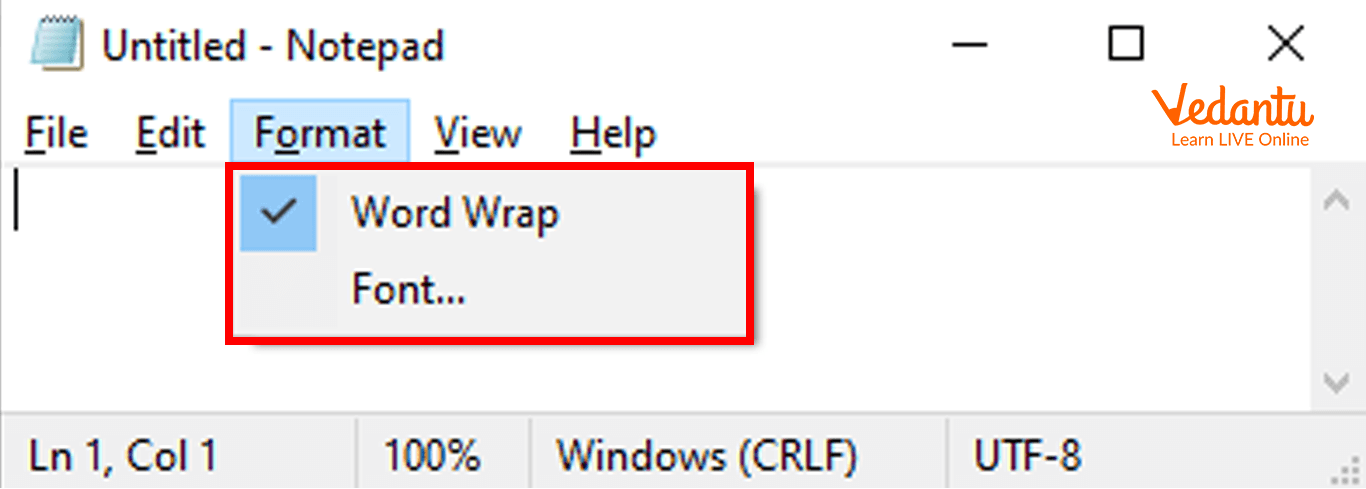
Format Menu
The Format menu includes options like Word Wrap and Font selection.
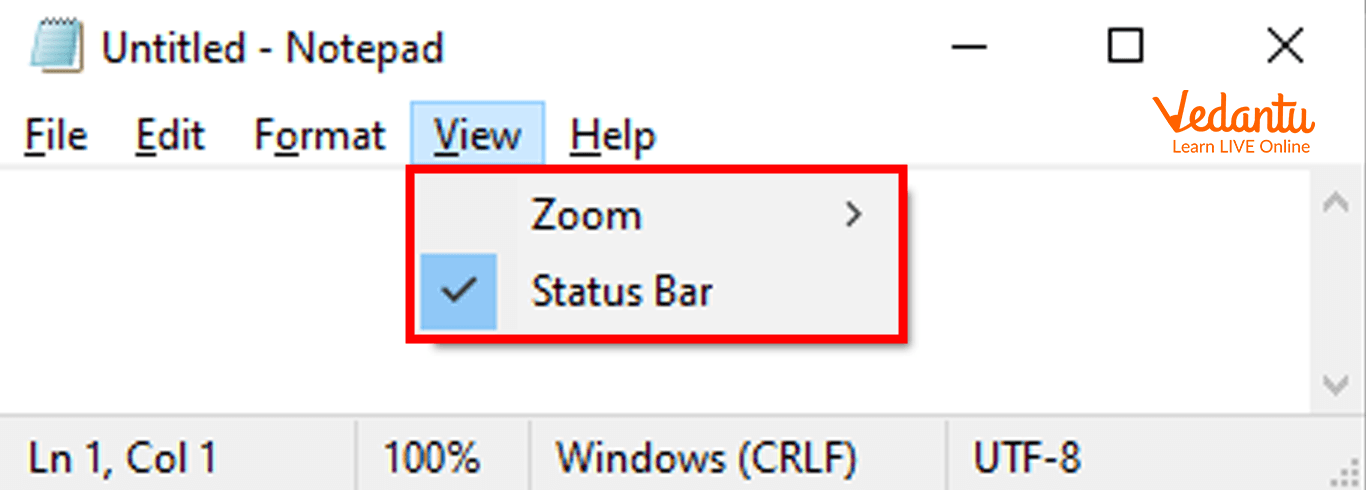
View Menu
The View menu controls the Status Bar and Zoom options.
Features and Characteristics
- Supports plain text editing.
- Lightweight and fast performance.
- Simple and user friendly interface.
- Supports multiple text encoding formats.
- Basic search and replace functionality.
Advantages of Notepad
- Easy to use for beginners.
- No formatting issues in code files.
- Consumes very little system memory.
- Pre-installed in Windows operating system.
Disadvantages and Limitations
- No advanced formatting features.
- Limited programming support compared to modern code editors.
- No syntax highlighting for coding.
- Basic functionality only.
Applications and Use Cases
- Writing and editing plain text documents.
- Creating HTML, CSS, and JavaScript files.
- Editing configuration files.
- Writing small programs and scripts.
- Taking quick notes.
Quick Facts About Notepad
| Category | Details | Example |
|---|---|---|
| Type | Text Editor | Plain Text Editor |
| Developed By | Microsoft | Windows OS |
| File Extension | .txt | notes.txt |
| Platform | Windows | Windows 10, 11 |
These quick facts highlight the basic technical details of Notepad in computer science and its role as a simple text editing tool.
Interesting Facts About Notepad
- Notepad was first introduced in 1983.
- It is one of the oldest applications in Windows.
- It supports multiple encoding types like UTF-8.
- It can be used to create simple web pages.
- It loads faster than most advanced text editors.
- It is commonly used for quick troubleshooting and log file viewing.
Conclusion
Notepad is a basic yet powerful text editor widely used in computer science for creating and editing plain text files. Its simplicity, speed, and ease of use make it ideal for beginners and professionals alike. Although it lacks advanced features, it remains an essential tool for writing code, editing configuration files, and understanding text file structures. Learning about Notepad helps students understand the fundamentals of text editing and file management in operating systems.
FAQs on Notepad Text Editor in Windows and Computer Science
1. What is Notepad in Computer Science?
Notepad is a basic text editor in the Microsoft Windows operating system used to create and edit plain text files.
- Developed by Microsoft and included with Windows
- Creates files with .txt extension by default
- Commonly used for simple coding, configuration files, and quick notes
2. What are the main features of Notepad?
Notepad features focus on simplicity, lightweight performance, and basic text editing without formatting.
- Supports plain text editing without rich formatting
- Provides find and replace functionality
- Allows word wrap and basic font customization
- Useful for editing HTML, CSS, JavaScript, and configuration files
3. How does Notepad work?
Notepad works as a simple text editor that saves and reads data in plain text format without additional styling or metadata.
- Stores content as ASCII or UTF-8 encoded text
- Does not include formatting like bold or images
- Interacts directly with the file system of the operating system
4. What is the difference between Notepad and WordPad?
Notepad vs WordPad differs mainly in formatting and features.
- Notepad supports only plain text without formatting
- WordPad supports rich text formatting like bold, images, and alignment
- Notepad is preferred for programming and scripting, while WordPad is used for formatted documents
5. Can Notepad be used for programming?
Notepad can be used for programming because it allows writing and saving source code in various programming languages.
- Supports writing code in C, C++, Java, Python, HTML, CSS, JavaScript
- Files must be saved with correct extensions like .html or .py
- Does not provide advanced features like syntax highlighting or debugging
6. What are the advantages and disadvantages of Notepad?
Notepad advantages and disadvantages depend on its simplicity and limited functionality.
- Advantages: Lightweight, fast, easy to use, pre-installed in Windows
- Disadvantages: No syntax highlighting, no auto-completion, limited editing tools
- Not suitable for large-scale software development projects
7. What file formats are supported by Notepad?
Notepad supports primarily plain text file formats and can open many text-based file types.
- Default format is .txt
- Can open and edit .html, .css, .js, .xml, .csv, .bat, .log
- Supports different character encoding formats like UTF-8 and ANSI
8. What are the common uses of Notepad in real-world applications?
Notepad is commonly used for quick text editing, coding practice, and system configuration tasks.
- Writing simple web development code like HTML pages
- Editing configuration files and scripts
- Creating batch files for automation in Windows
9. How is Notepad useful for students and exam preparation?
Notepad is useful for students because it helps in understanding basic programming, file handling, and operating system concepts.
- Used in school labs for writing simple programming syntax examples
- Helps understand plain text vs formatted text
- Frequently asked in computer fundamentals exams and interviews
10. What is the difference between Notepad and Notepad++?
Notepad and Notepad++ differ in features, development tools, and advanced editing capabilities.
- Notepad is a basic Windows text editor
- Notepad++ is an advanced open-source editor with syntax highlighting, plugins, and multi-language support
- Notepad++ is preferred for software development and coding projects
