



How Networking and Internet Technologies Work in Real World Systems
Networking and Internet form the backbone of modern communication systems. In computer science, they enable computers and devices to connect, share data, and access resources across local and global networks. From sending emails and browsing websites to cloud computing and online education, networking and the Internet make digital communication possible. Understanding Networking and Internet concepts helps students grasp how data travels, how devices interact, and how global connectivity is maintained securely and efficiently.
Definition and Meaning
Networking and Internet in computer science refer to the technology and systems that connect computers and other devices to share information and resources.
- Computer Network - A group of interconnected computers that communicate with each other.
- Internet - A global network of networks that connects millions of private, public, academic, and government networks.
- Protocol - A set of rules that govern data communication such as TCP and IP.
- Bandwidth - The data transfer capacity of a network.
- IP Address - A unique address assigned to each device on a network.
How It Works / Working Principle
The Networking and Internet working process is based on communication between devices using standard protocols. Data is divided into small units called packets and transmitted across networks.
- A user sends a request from a device such as a computer or smartphone.
- The data is broken into packets and assigned destination IP addresses.
- Routers and switches forward the packets through different networks.
- Packets reach the destination server.
- The server processes the request and sends a response back in packet form.
- The receiving device reassembles the packets to display the information.
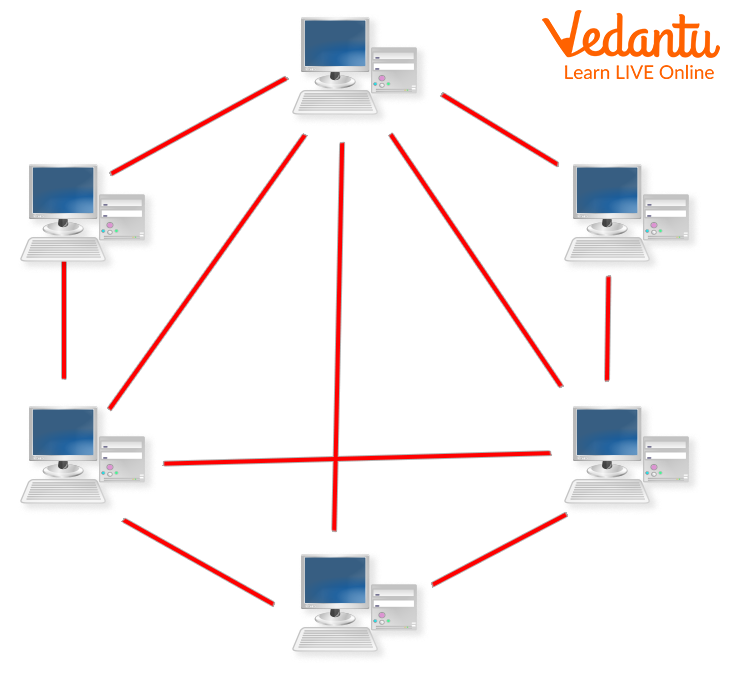
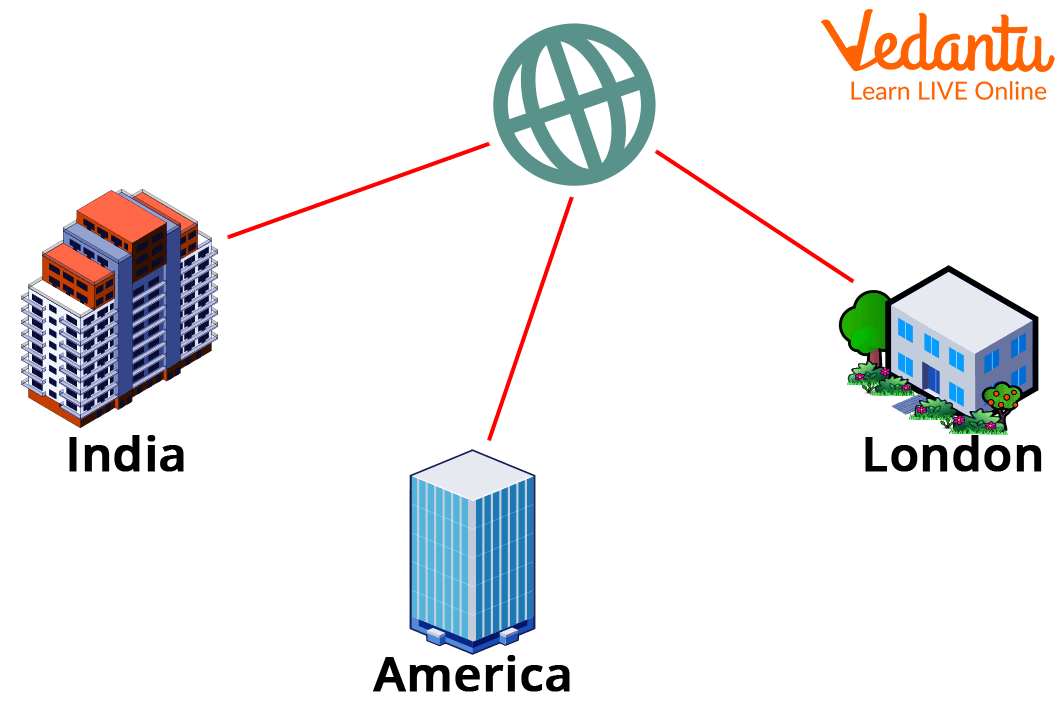
Computer Network Example:
Types and Classification
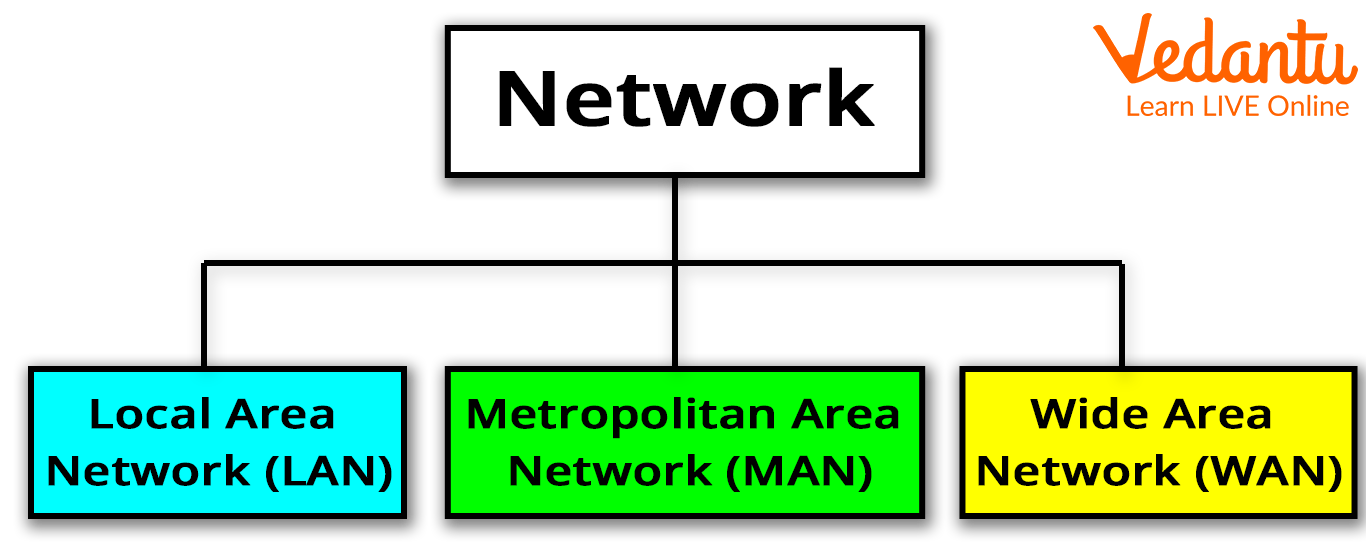
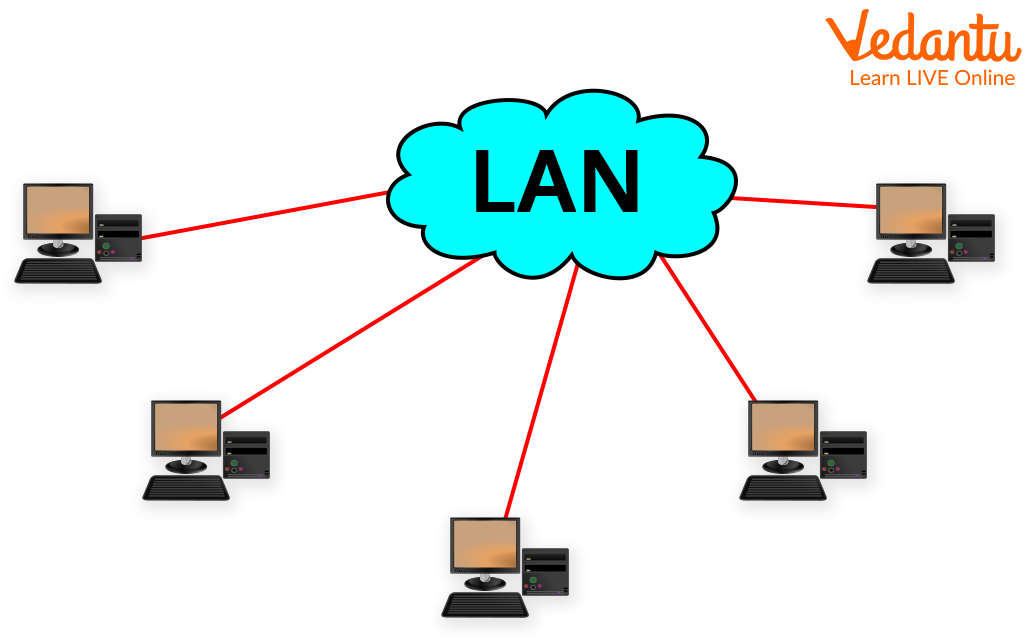
- LAN - Local Area Network: Connects devices within a small area such as a school or office.
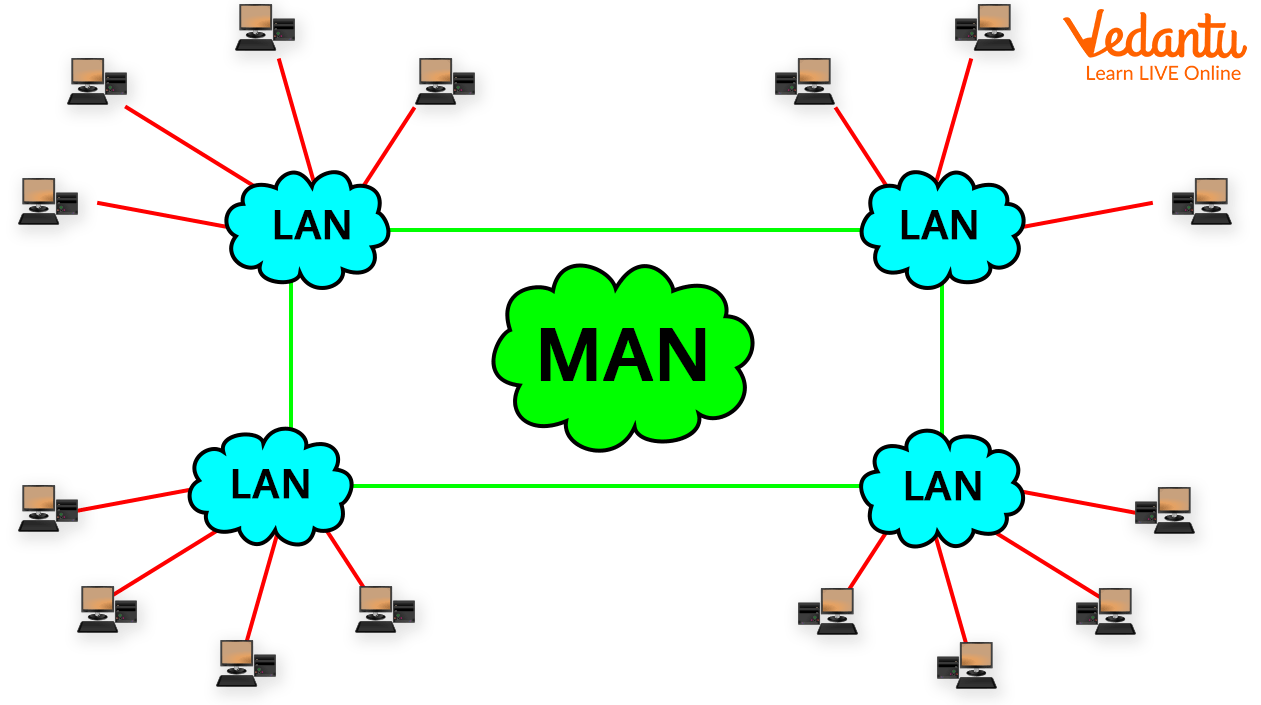
- MAN - Metropolitan Area Network: Covers a city or large campus.
- WAN - Wide Area Network: Connects networks over large geographical areas such as countries or continents.
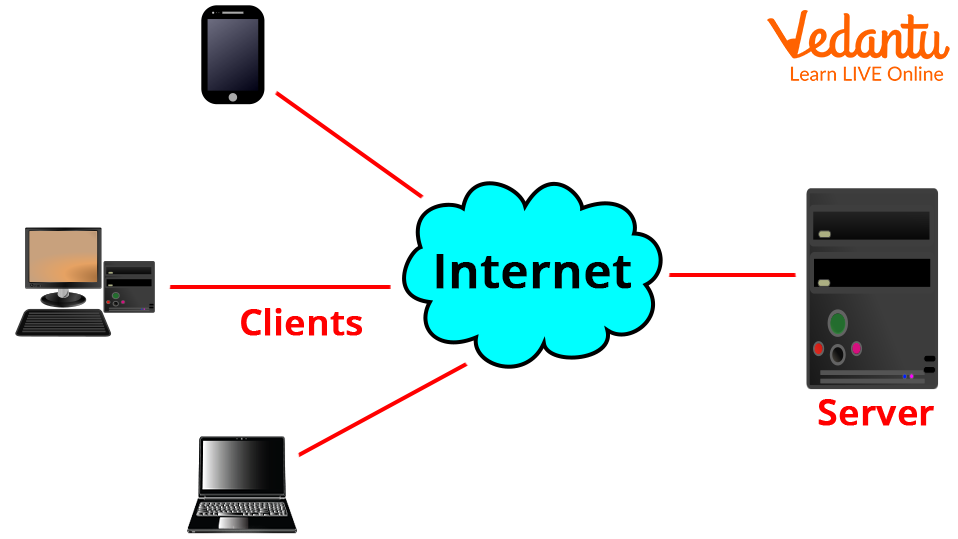
- Client Server Network: A network where clients request services and servers provide resources.
Components and Structure
- Router - Connects different networks and forwards data packets.
- Switch - Connects devices within the same network.
- Modem - Converts digital signals into analog for transmission.
- Network Interface Card - Allows devices to connect to a network.
- Cables and Wireless Media - Physical or wireless medium for communication.
- Server - Provides services and resources.
Features and Characteristics
- Resource sharing such as files and printers.
- Fast communication and data transfer.
- Scalability to add more devices.
- Support for multiple protocols.
- Global connectivity through the Internet.
Advantages
- Easy sharing of data and resources.
- Cost efficient communication.
- Access to global information.
- Supports online services and cloud computing.
Disadvantages / Limitations
- Security threats such as hacking and malware.
- Dependence on network availability.
- Maintenance and setup cost.
- Privacy concerns.
Applications and Use Cases
- Email and instant messaging.
- Web browsing and online research.
- E commerce and digital banking.
- Online education and video conferencing.
- Cloud storage and remote work systems.
- Social media platforms.
Quick Facts About Networking And Internet
| Category | Details | Example |
|---|---|---|
| Network Types | LAN, MAN, WAN | School LAN |
| Main Protocol | TCP IP | Internet Communication |
| Primary Use | Data Communication | Email, Web |
| Devices Used | Router, Switch, Modem | Home WiFi Router |
The table highlights essential details related to Networking and Internet including common network types, protocols, and devices.
LAN vs MAN vs WAN
| Feature | LAN | WAN |
|---|---|---|
| Coverage Area | Small Area | Large Area |
| Speed | High | Moderate |
| Example | Office Network | Internet |
LAN is used within limited areas, while WAN connects networks across cities or countries. MAN lies between LAN and WAN in coverage.
Key Terms / Glossary
| Term | Meaning |
|---|---|
| Packet | Small unit of data transmitted over a network |
| Protocol | Rules for communication between devices |
| Bandwidth | Maximum data transfer rate |
| IP Address | Unique identifier for a device on a network |
Interesting Facts About Networking And Internet
- The Internet started as ARPANET in the late 1960s.
- More than billions of devices are connected worldwide.
- Data travels through fiber optic cables under oceans.
- IPv6 was introduced to overcome IPv4 address limitations.
- Cloud computing depends entirely on networking technology.
- WiFi is a wireless networking technology based on IEEE standards.
Conclusion
Networking and Internet are essential concepts in computer science that enable global communication and resource sharing. Understanding their definition, types, components, and working principles helps students grasp how digital systems interact across the world. From local area networks to worldwide connectivity, networking technologies support education, business, research, and entertainment. Mastering these fundamentals builds a strong foundation for advanced topics such as cybersecurity, cloud computing, and distributed systems.
FAQs on Networking and Internet Fundamentals for Computer Science
1. What is Networking in Computer Science?
Networking is the process of connecting computers and devices to share data, resources, and services using communication protocols.
- Uses network devices like routers, switches, and hubs
- Enables file sharing, printer access, and internet connectivity
- Operates using protocols such as TCP/IP
- Forms the foundation of distributed systems and cloud computing
2. What is the Internet and how does it work?
The Internet is a global network of interconnected computer networks that communicate using the TCP/IP protocol suite.
- Devices are identified using IP addresses
- Data is transmitted in the form of packets
- Routers forward packets between networks
- Supports services like WWW, email, FTP, and cloud applications
3. What are the different types of computer networks?
Computer networks are classified based on geographical coverage and usage.
- LAN (Local Area Network) for small areas like schools or offices
- MAN (Metropolitan Area Network) for cities
- WAN (Wide Area Network) for large geographic regions
- PAN (Personal Area Network) for personal devices like Bluetooth
4. What is the OSI model in networking?
The OSI (Open Systems Interconnection) model is a 7-layer framework that explains how data is transmitted over a network.
- Layers include Physical, Data Link, Network, Transport, Session, Presentation, Application
- Helps in understanding network architecture
- Used for troubleshooting and exam preparation
- Conceptual model, not a direct protocol implementation
5. What is the TCP/IP model and how is it different from OSI?
The TCP/IP model is a practical networking model used on the Internet with four layers.
- Layers: Network Interface, Internet, Transport, Application
- More practical and implementation-based than OSI
- Used in real-world Internet communication
- OSI has 7 layers, while TCP/IP has 4 layers
6. What are common networking devices and their functions?
Networking devices manage data transmission and connectivity between computers and networks.
- Router connects different networks
- Switch connects devices within a LAN
- Hub broadcasts data to all devices
- Modem connects a network to the Internet
- Firewall provides network security
7. What is an IP address and what are its types?
An IP address is a unique numerical label assigned to each device connected to a network for identification and communication.
- IPv4 uses 32-bit addresses (e.g., 192.168.1.1)
- IPv6 uses 128-bit addresses for larger address space
- Can be Public or Private
- Can be Static or Dynamic
8. What is DNS and why is it important?
The Domain Name System (DNS) translates human-readable domain names into IP addresses.
- Example: Converts www.example.com into an IP address
- Acts like the phonebook of the Internet
- Improves usability of web services
- Essential for web browsing and email services
9. What are the advantages and disadvantages of computer networking?
Computer networking enables resource sharing and communication but also introduces security and management challenges.
- Advantages: Resource sharing, centralized data management, communication efficiency
- Disadvantages: Security risks, network failures, maintenance cost
- Requires proper cybersecurity measures
- Important topic for exams and interviews
10. What are the applications of Networking and the Internet?
Networking and the Internet support modern digital communication, computing, and online services.
- Web development and online applications
- Cloud computing and distributed systems
- Cybersecurity and secure communication
- E-commerce, social media, video conferencing
- Used in AI, IoT, and machine learning systems
