



How the Internet Started and How It Works Today
The Internet has become an essential part of modern life, connecting billions of devices and people across the world. Understanding Starting The Internet in computer science helps students learn how global communication networks were developed and how they function today. From sending simple text messages to streaming videos and running cloud applications, the Internet supports countless services. This topic explains the origin, development, and working of the Internet, making it easier to understand how information travels across networks and how digital communication began.
Definition and Meaning
Starting The Internet definition refers to the origin and early development of the global network of interconnected computers known as the Internet. It explains how the first computer networks were created and how they evolved into the modern Internet.
- Internet - A worldwide network of interconnected computers that communicate using standard protocols.
- ARPANET - The first experimental computer network developed in 1969.
- TCP/IP - The communication protocol that allows computers to exchange data over networks.
- Packet Switching - A method of breaking data into small packets for transmission.
How It Works - Working Principle
To understand Starting The Internet working, it is important to know how early networks connected computers and transferred data. The Internet works on the principle of packet switching and standard communication protocols.
- A user sends a request from a computer to access information.
- The data is divided into small units called packets.
- Packets travel through multiple routers and networks using TCP/IP protocols.
- The destination computer receives and reassembles the packets.
- The requested information is displayed to the user.
The early Internet started with limited connections between research institutions. Over time, improvements in networking technologies expanded it globally.
Types and Classification
During the early stages of Starting The Internet, different types of networks were developed before forming the global Internet.
Types of Early Networks
| Network Type | Description | Example |
|---|---|---|
| LAN | Local network within a small area | School or office network |
| WAN | Wide network covering large areas | ARPANET |
| MAN | Network across a city | City cable network |
These network types later became interconnected to form the modern Internet.
Components and Structure
The structure of the Internet consists of several key components that make communication possible.
- Computers and Devices - Send and receive data.
- Routers - Direct data packets between networks.
- Servers - Store and provide information.
- Protocols - Rules such as TCP/IP that control communication.
- Transmission Media - Cables, fiber optics, and wireless signals.
Evolution of the Internet
The history and growth of the Internet can be understood through its major developmental stages.
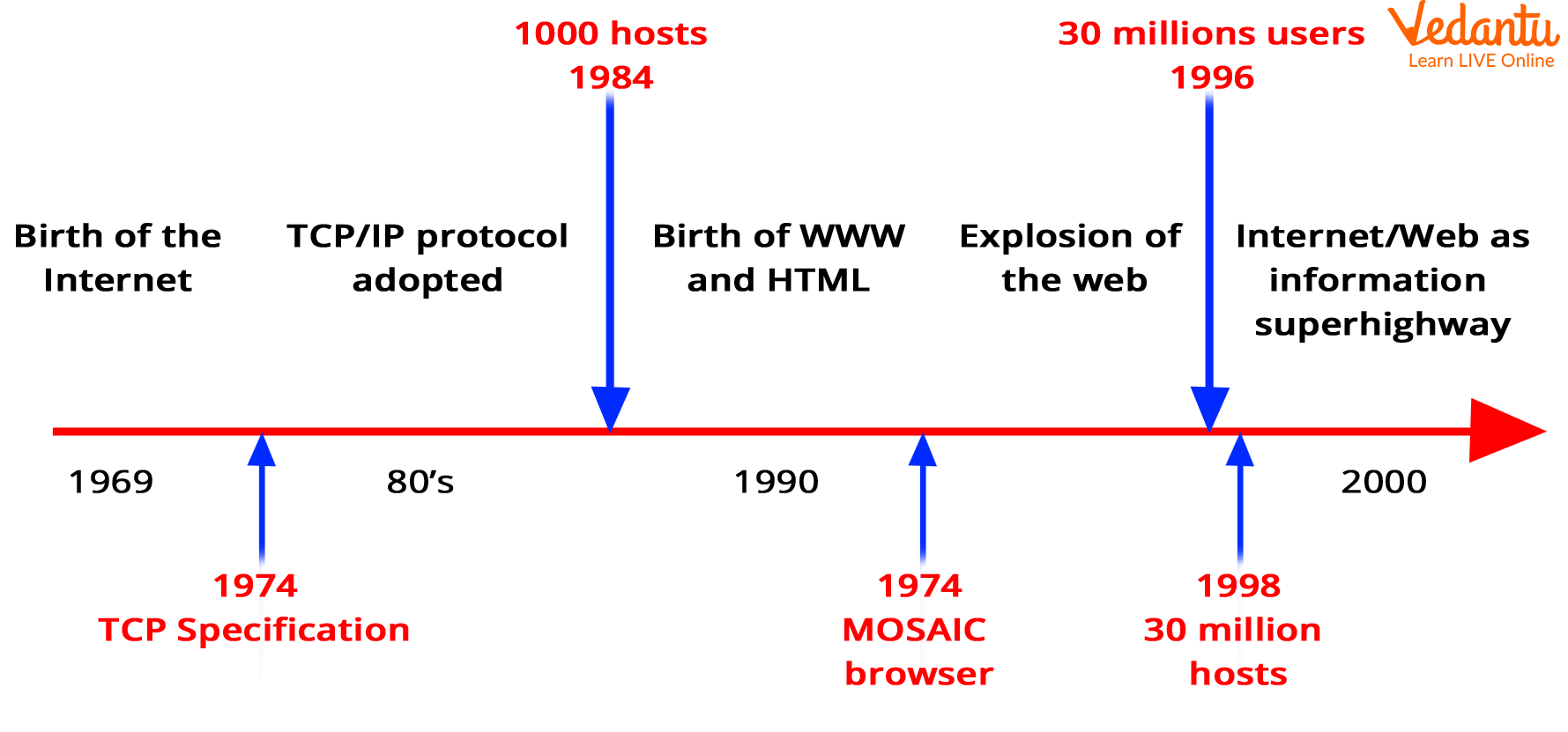
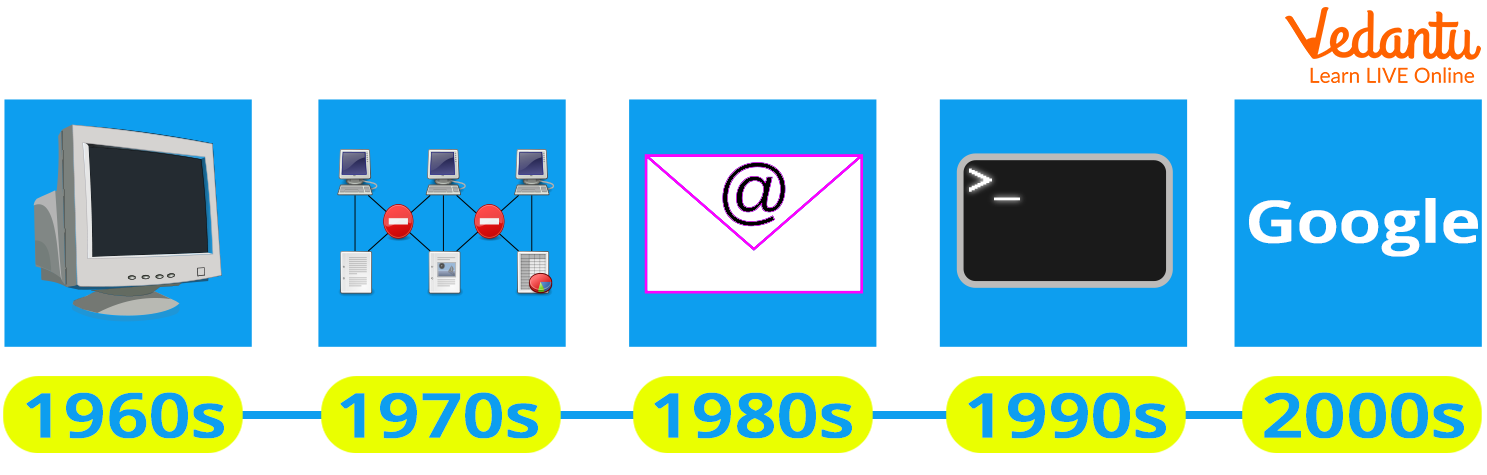
- 1969 - ARPANET connects four computers.
- 1970s - Development of TCP/IP protocols.
- 1983 - TCP/IP becomes standard protocol.
- 1990 - World Wide Web invented.
- 2000s onward - Rapid global expansion and mobile Internet growth.
Features and Characteristics
- Global Connectivity - Connects devices worldwide.
- Decentralized Structure - No single central control.
- Packet Switching Technology - Efficient data transmission.
- Scalability - Can grow by adding more networks.
- Open Standards - Uses standardized protocols.
Advantages
- Fast global communication.
- Easy access to information.
- Supports online education and research.
- Enables e-commerce and digital services.
Disadvantages / Limitations
- Security risks and cyber threats.
- Privacy concerns.
- Spread of misinformation.
- Digital divide in remote areas.
Applications and Use Cases
- Email and Messaging - Instant communication.
- Web Browsing - Accessing websites and information.
- Online Learning - Virtual classrooms and digital courses.
- Cloud Computing - Remote storage and services.
- Social Media - Global interaction platforms.
Quick Facts About Starting The Internet
| Category | Details | Year |
|---|---|---|
| Initial Network | ARPANET | 1969 |
| Standard Protocol | TCP/IP Adopted | 1983 |
| World Wide Web | Invented by Tim Berners-Lee | 1990 |
These milestones played a major role in shaping the modern Internet used today.
Interesting Facts About Starting The Internet
- The first message sent over ARPANET was "LO".
- The system crashed before the word "LOGIN" was fully transmitted.
- Email was one of the earliest popular Internet services.
- The Internet and the World Wide Web are not the same.
- TCP/IP made global networking possible.
- The Internet has no single owner.
- Billions of devices are connected today.
Conclusion
Understanding Starting The Internet in computer science provides insight into how global digital communication began and evolved. From ARPANET to the modern Internet, continuous technological advancements have transformed the way people communicate, learn, and work. Learning about its origin, working principles, and development helps students appreciate its importance in networking and computer science. The Internet remains one of the most significant technological achievements in human history.
FAQs on Starting the Internet and Its Evolution in Computer Science
1. What does "Starting The Internet" mean in Computer Science?
Starting The Internet refers to the process of establishing a connection between a device and the global Internet network using hardware, software, and communication protocols.
- Involves connecting through an Internet Service Provider (ISP)
- Uses networking devices like modem and router
- Relies on TCP/IP protocol suite for communication
2. What are the basic components required to start the Internet connection?
To start the Internet, specific hardware and software components are required to enable network communication.
- Modem to convert digital and analog signals
- Router to distribute network access
- Network Interface Card (NIC) in the device
- Active ISP subscription
- Configured operating system network settings
3. How does the Internet work when you start it on a computer?
When you start the Internet, your device connects to an ISP and communicates using the TCP/IP model to send and receive data packets.
- Device gets an IP address (static or dynamic)
- Uses DNS (Domain Name System) to resolve domain names
- Data is transmitted in packets across interconnected networks
4. What is the role of TCP/IP in starting the Internet?
The TCP/IP protocol suite enables devices to communicate reliably over the Internet.
- TCP (Transmission Control Protocol) ensures reliable data delivery
- IP (Internet Protocol) handles addressing and routing
- Forms the foundation of modern computer networks
5. What is the difference between the Internet and the World Wide Web?
The Internet is a global network infrastructure, while the World Wide Web (WWW) is a service that runs on top of it.
- Internet includes hardware, cables, routers, and protocols
- Web uses HTTP/HTTPS to access websites
- Other Internet services include email, FTP, and cloud computing
6. What are the types of Internet connections available?
Different types of Internet connections provide varying speeds, reliability, and technologies.
- Broadband (Fiber, DSL, Cable)
- Wireless (Wi-Fi, Mobile Data 4G/5G)
- Satellite Internet
- Dial-up (older technology)
7. What happens technically when you open a website after starting the Internet?
When you open a website, your browser sends a request to a web server and receives web content using Internet protocols.
- Browser performs a DNS lookup
- Sends an HTTP/HTTPS request
- Server responds with HTML, CSS, and JavaScript files
8. What are the advantages and disadvantages of using the Internet?
The Internet offers global connectivity and access to information but also introduces security and privacy risks.
- Advantages: Communication, e-learning, cloud computing, online services
- Disadvantages: Cybersecurity threats, data privacy issues, misinformation
9. How is starting the Internet important for students and competitive exams?
Understanding how the Internet starts and works is important for Computer Science exams, interviews, and technical literacy.
- Common topic in networking fundamentals
- Asked in school, college, and competitive exams
- Useful for careers in cybersecurity, web development, and cloud computing
10. What security measures should be taken when starting and using the Internet?
Basic cybersecurity practices are essential to safely start and use the Internet.
- Enable firewall and updated antivirus software
- Use strong Wi-Fi encryption (WPA3/WPA2)
- Access secure websites using HTTPS
- Keep operating system and software updated
