



What Is a Website How It Works and Key Components Explained
A Website is a collection of interconnected web pages that are accessible over the Internet using a web browser. In computer science, websites play a vital role in information sharing, communication, e-commerce, education, and entertainment. Every website is hosted on a web server and identified by a unique domain name. From simple personal blogs to complex online banking platforms, websites form the foundation of the World Wide Web. Understanding the concept of a website in computer science helps students learn how digital content is created, structured, delivered, and managed across the internet.
Definition and Meaning
Website definition: A website is a structured collection of related web pages, multimedia content, and resources that are hosted on a server and accessed through a domain name using the Internet.
- Web Page: A single document on the web, usually written in HTML.
- Domain Name: The unique address of a website such as www.example.com.
- Web Server: A computer that stores and delivers website files to users.
- Browser: Software like Chrome or Firefox used to access websites.
In simple terms, a website is a digital location on the Internet where users can view information, perform tasks, and interact with content.

How It Works - Website Working
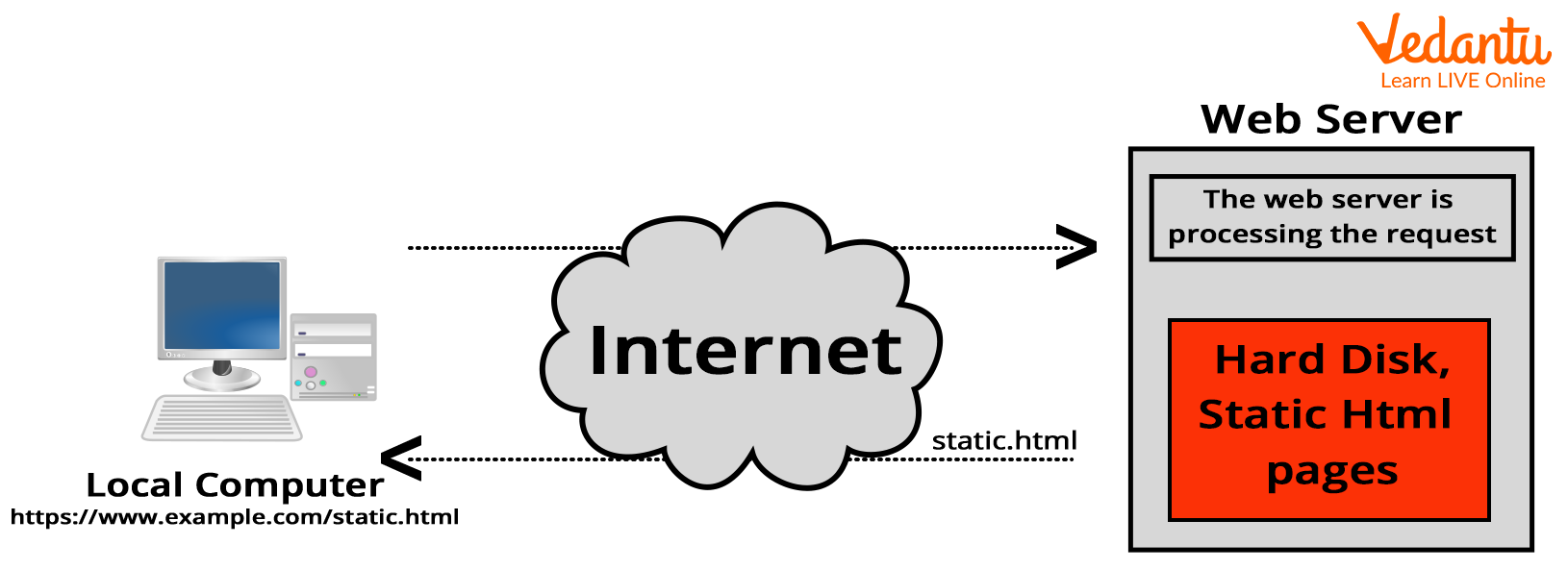
The working of a website involves communication between a client computer and a web server using Internet protocols such as HTTP or HTTPS.
- The user enters a domain name into a web browser.
- The browser sends a request to the DNS server to find the IP address of the website.
- The request is forwarded to the web server where website files are stored.
- The server processes the request and sends back HTML, CSS, JavaScript, and other resources.
- The browser renders the content and displays the web page to the user.
In dynamic websites, additional processing may occur using server-side scripting and databases before sending the response.
Types and Classification
There are different types of websites based on functionality and structure.
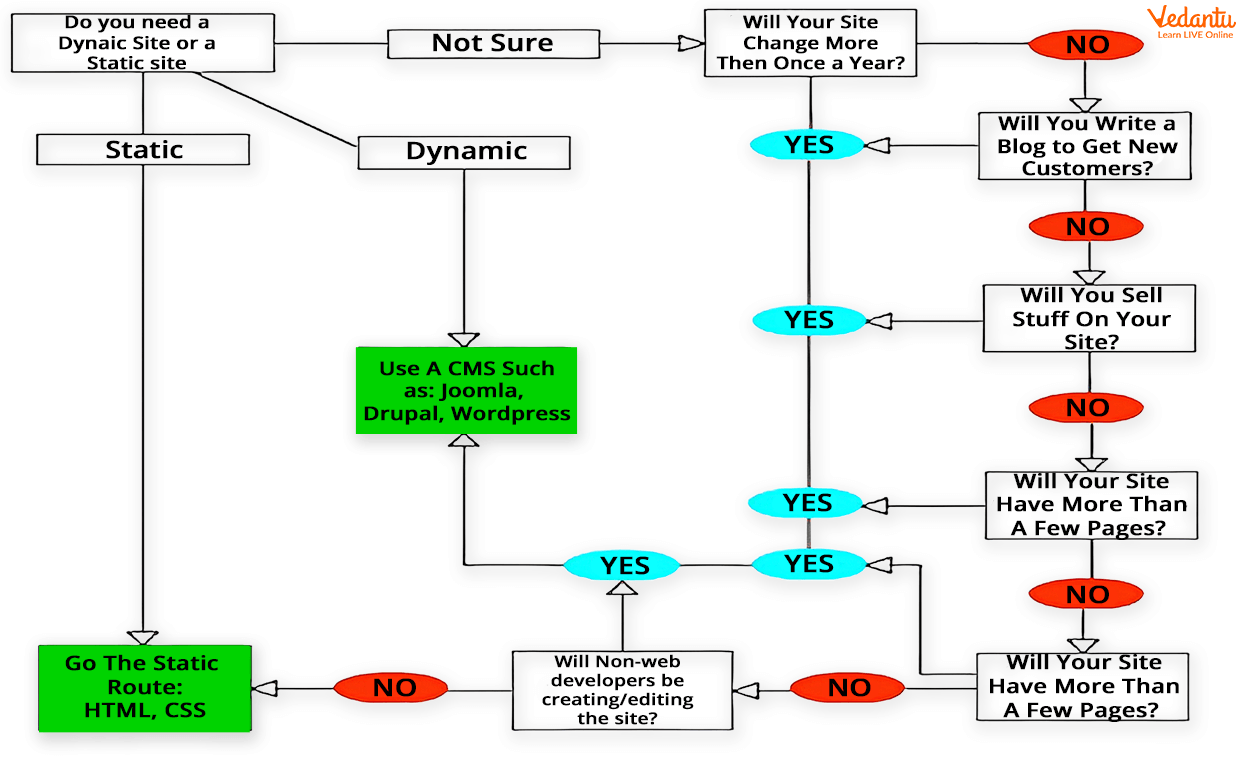
- Static Website: Displays fixed content. Pages are coded in HTML and do not change unless manually updated.
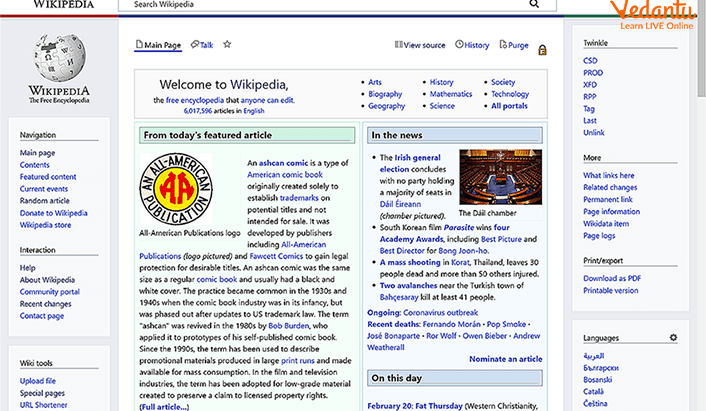
- Dynamic Website: Content changes based on user interaction, database information, or server-side processing.
- E-commerce Website: Used for buying and selling products online.
- Educational Website: Provides learning resources, courses, and tutorials.
- Portfolio or Personal Website: Showcases individual skills or achievements.
Components and Structure
A website consists of several important components that work together.
- HTML: Defines the structure of web pages.
- CSS: Controls the design and layout.
- JavaScript: Adds interactivity and dynamic behavior.
- Web Server: Stores and delivers files.
- Database: Stores data for dynamic websites.
- Domain Name: Provides an easy-to-remember address.
Features and Characteristics
- Accessible worldwide through the Internet.
- Contains multiple interconnected web pages.
- Can be static or dynamic.
- Supports multimedia content such as images, videos, and audio.
- Uses standard web protocols like HTTP and HTTPS.
- Can integrate with databases and APIs.
Advantages
- Global reach and accessibility.
- Easy information sharing.
- Supports online transactions and communication.
- Cost effective marketing tool.
- Available 24 hours a day.
Disadvantages / Limitations
- Requires Internet connection.
- Security risks such as hacking or data breaches.
- Maintenance and hosting costs.
- Technical knowledge required for development.
Applications and Use Cases
- E-commerce: Online shopping platforms.
- Education: Online learning portals and tutorials.
- Banking: Internet banking services.
- Entertainment: Streaming services and gaming websites.
- Government Services: Online application and information portals.
- Social Media: Communication and networking platforms.
Quick Facts About Website
| Category | Details | Examples |
|---|---|---|
| Type | Static and Dynamic | Portfolio site, E-commerce site |
| Built Using | HTML, CSS, JavaScript | Frontend technologies |
| Protocols | HTTP, HTTPS | Secure communication |
| Used For | Information sharing and services | Education, Banking, Shopping |
These quick facts summarize essential technical details related to websites in computer science.
Interesting Facts About Website
- The first website was created in 1991 by Tim Berners-Lee.
- Websites are stored on servers that operate 24 by 7.
- HTTPS encrypts data for secure communication.
- Dynamic websites use databases like MySQL or MongoDB.
- Responsive websites adjust layout based on device screen size.
- Millions of new websites are created every year.
- Search engines index websites to make them searchable.
Conclusion
A website is a fundamental component of the modern Internet and plays a crucial role in communication, commerce, education, and entertainment. Understanding the website definition, working, types, features, and applications helps students grasp how digital information is structured and delivered online. In computer science, learning about websites builds the foundation for web development, cybersecurity, networking, and software engineering, making it an essential topic in today’s technology driven world.
FAQs on Website in Computer Science Complete Learning Guide
1. What is a website in Computer Science?
A website is a collection of interlinked web pages hosted on a web server and accessible through the Internet using a web browser.
- Built using HTML, CSS, and JavaScript
- Identified by a unique domain name
- Used for information sharing, business, education, and web applications
2. How does a website work?
A website works on a client-server model where a browser sends an HTTP/HTTPS request and the web server responds with web page data.
- User enters a URL in a browser
- DNS translates the domain to an IP address
- Server sends HTML, CSS, JavaScript files to the client
3. What are the main components of a website?
The main components of a website include front-end, back-end, and hosting infrastructure.
- Front-end: User interface built with HTML, CSS, JavaScript
- Back-end: Server-side logic using languages like PHP, Python, Java, or Node.js
- Database: Stores data using MySQL, PostgreSQL, or MongoDB
4. What are the different types of websites?
Websites are classified based on their structure and functionality.
- Static websites: Fixed content, simple HTML pages
- Dynamic websites: Database-driven and interactive
- E-commerce, blog, portfolio, educational, and social media websites
5. What is the difference between a static and dynamic website?
A static website shows the same content to all users, while a dynamic website generates content dynamically using server-side programming.
- Static: Faster, simple, no database required
- Dynamic: Interactive, uses database and back-end logic
- Dynamic sites support login systems and real-time updates
6. What technologies are used to develop a website?
Website development uses a combination of front-end and back-end technologies.
- Front-end: HTML, CSS, JavaScript, React, Angular
- Back-end: Node.js, Django, Spring Boot, PHP
- Database: MySQL, MongoDB, PostgreSQL
7. What is web hosting and why is it important for a website?
Web hosting is a service that stores website files on a server and makes them accessible on the Internet.
- Provides server space and bandwidth
- Ensures website availability and performance
- Types include shared hosting, VPS, and cloud hosting
8. What are the advantages and disadvantages of a website?
A website helps individuals and organizations establish an online presence but also requires maintenance and security management.
- Advantages: Global reach, 24/7 availability, digital marketing
- Disadvantages: Security risks, hosting costs, regular updates needed
- Requires proper cybersecurity and maintenance
9. How is a website different from a web application?
A website mainly provides information, while a web application allows users to perform interactive tasks.
- Website: Content-focused, informational pages
- Web application: Interactive features like login, payment, dashboards
- Examples: Blog site vs. Online banking system
10. Why is understanding websites important for exams and interviews?
Knowledge of websites is essential for Computer Science exams, coding interviews, and web development careers.
- Common topic in school and college syllabus
- Frequently asked in web development interviews
- Foundation for learning full-stack development and cloud computing
