



What Are Computer Skills Types Examples and How to Improve Them
Computer Skills refer to the ability to use computers, software applications, and digital tools effectively for personal, academic, and professional purposes. In today’s digital world, computer skills in computer science form the foundation of learning, communication, data handling, and cybersecurity. From operating systems like Windows to applications such as Microsoft Outlook and security tools like antivirus software, computer skills enable users to perform tasks efficiently and safely. Developing strong computer skills improves productivity, enhances problem-solving abilities, and prepares individuals for technology-driven careers.
Definition and Meaning
Computer Skills definition refers to the knowledge and ability required to operate computers and related technologies effectively. These skills range from basic operations like typing and using a mouse to advanced tasks such as managing files, using productivity software, and protecting systems from threats.
- Basic Computer Skills - Using keyboard, mouse, and operating systems.
- Application Skills - Working with software like word processors, spreadsheets, and email tools.
- Internet Skills - Browsing, emailing, and online communication.
- Security Skills - Using antivirus software and maintaining data safety.
How It Works / Working Principle
The Computer Skills working process involves interacting with hardware and software to perform specific tasks. A user gives input through devices, the system processes the information, and output is displayed or stored.
- The user provides input using devices like a keyboard or mouse.
- The operating system, such as Microsoft Windows, manages hardware and software resources.
- Application software like Microsoft Outlook or Acrobat PDF processes user requests.
- Output is displayed on the screen or saved as files.
- Security software like McAfee Antivirus protects the system from threats.
Types and Classification
Computer Skills types can be classified based on functionality and usage level.
Types of Computer Skills
| Type | Description | Examples |
|---|---|---|
| Basic Skills | Fundamental operations of computer hardware | Typing, clicking, file management |
| Productivity Skills | Using office and document tools | Microsoft Outlook, Acrobat PDF |
| Security Skills | Protecting systems and data | McAfee Antivirus |
| Operating System Skills | Managing system environment | Microsoft Windows |
Each type plays an important role in ensuring efficient and secure computer usage.
Components and Structure
Computer skills involve interaction with various hardware and software components.
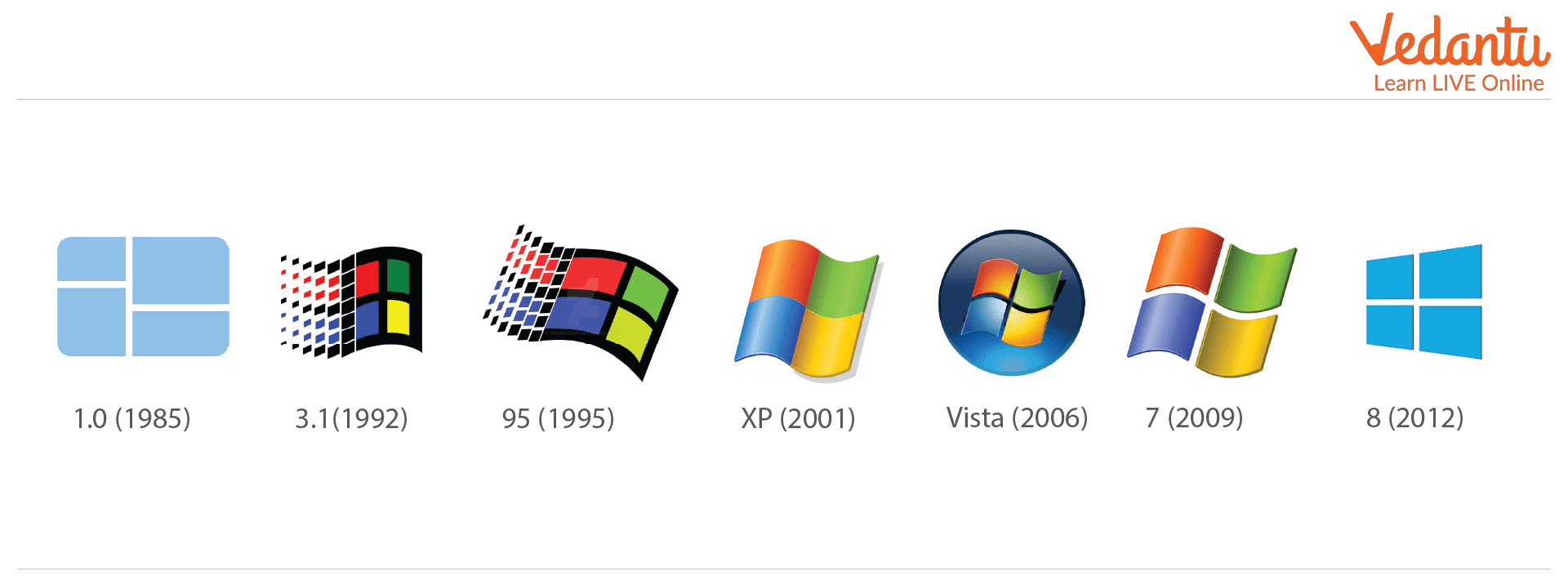
- Operating System - Manages computer resources and provides user interface.
- Email Client - Used for sending and receiving emails.

- Antivirus Software - Protects the system from malware.

- PDF Reader - Opens and edits PDF documents.

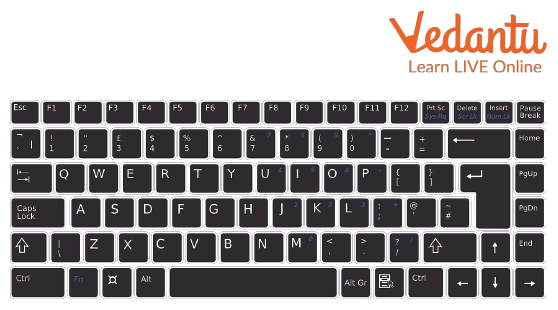
- Keyboard - Input device used for typing and commands.
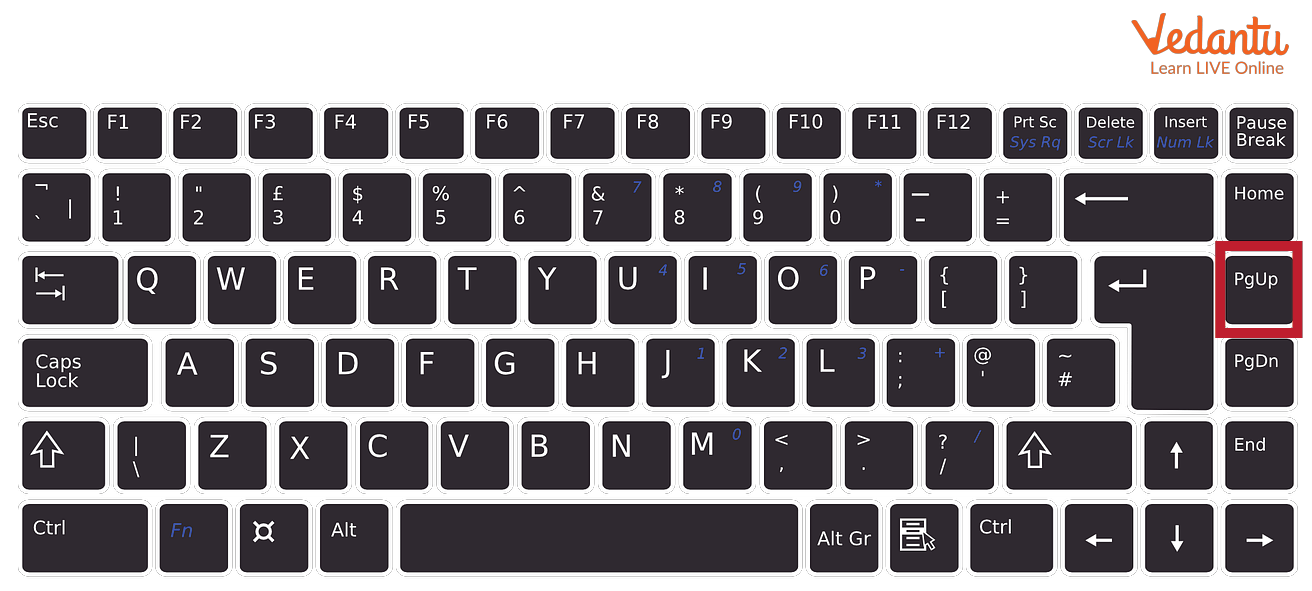
- Page Up Key - Used to scroll up on a page.
- Mouse - Pointing device for navigation.

Features and Characteristics
- Ability to operate different software applications.
- Efficient file creation, storage, and management.
- Safe internet browsing and email communication.
- Understanding of basic troubleshooting techniques.
- Knowledge of cybersecurity practices.
Advantages
- Improves productivity and efficiency.
- Enhances communication through email and digital tools.
- Supports academic and professional growth.
- Enables safe and secure data handling.
- Provides access to global information resources.
Disadvantages / Limitations
- Requires continuous learning due to rapid technological changes.
- Risk of cyber threats if security skills are weak.
- Overdependence on technology.
- May require investment in hardware and software.
Applications and Use Cases
- Educational institutions for assignments and research.
- Business communication using email and document tools.
- Cybersecurity management using antivirus software.
- Digital document creation and sharing in PDF format.
- Personal tasks such as online banking and browsing.
Quick Facts About Computer Skills
| Category | Details |
|---|---|
| Type | Technical Skill |
| Used For | Operating systems, applications, internet usage |
| Key Tools | Windows, Outlook, Acrobat, Antivirus |
| Core Devices | Keyboard, Mouse |
| Importance | Essential for digital literacy |
These facts highlight the significance of computer skills in modern digital environments.
Interesting Facts About Computer Skills
- Computer literacy is considered a fundamental skill in most professions.
- Operating systems like Windows are used by millions of users worldwide.
- Email remains one of the most widely used digital communication tools.
- Antivirus software protects against thousands of new threats daily.
- Keyboard shortcuts significantly improve work efficiency.
- PDF is one of the most commonly used document formats globally.
- Basic troubleshooting skills can solve many common computer problems.
Conclusion
Computer skills are essential in computer science and everyday life. They enable individuals to operate systems, use software applications, communicate digitally, and maintain cybersecurity. Understanding computer skills improves productivity, enhances learning opportunities, and prepares individuals for modern careers. As technology continues to evolve, developing and updating computer skills remains a key factor for success in education, business, and digital innovation.
FAQs on Essential Computer Skills for Study Work and Career Growth
1. What are Computer Skills?
Computer Skills refer to the ability to use computer hardware, software, operating systems, and digital tools effectively for academic, professional, and personal tasks.
- Basic skills include typing, file management, and internet browsing
- Intermediate skills include MS Office, email communication, and presentations
- Advanced skills include programming, database management, and cybersecurity
2. Why are Computer Skills important for students and job seekers?
Computer Skills are essential for education, competitive exams, and modern workplace productivity in almost every industry.
- Required for online exams and digital assignments
- Improve employability and technical proficiency
- Support remote work, communication, and collaboration
3. What are the basic Computer Skills everyone should know?
Basic Computer Skills include fundamental knowledge of operating systems, software applications, and internet usage.
- Using Windows, macOS, or Linux
- Working with MS Word, Excel, and PowerPoint
- Managing files and folders
- Using email and web browsers securely
4. What are advanced Computer Skills?
Advanced Computer Skills involve specialized knowledge of programming, databases, networking, cybersecurity, and cloud computing.
- Coding in Python, Java, C++, or JavaScript
- Working with SQL databases
- Understanding data structures and algorithms
- Knowledge of AI, machine learning, or web development
5. How can beginners improve their Computer Skills?
Beginners can improve Computer Skills through regular practice, online courses, and hands-on projects.
- Practice typing and document creation
- Learn basic programming through beginner-friendly platforms
- Explore free tutorials on operating systems and software tools
6. What is the difference between basic and advanced Computer Skills?
Basic Computer Skills focus on using applications, while advanced Computer Skills involve creating, managing, or developing technology solutions.
- Basic: MS Office, browsing, email
- Advanced: Programming, database design, system administration
- Advanced skills often require technical training or certification
7. Which programming languages are important as Computer Skills?
Popular programming languages that enhance Computer Skills include Python, Java, C++, JavaScript, and SQL.
- Python for data science and automation
- Java for enterprise applications
- JavaScript for web development
- SQL for database management
8. What role do Computer Skills play in competitive exams and interviews?
Computer Skills are frequently tested in government exams, banking exams, and technical interviews.
- Questions on MS Office, networking, and operating systems
- Basic knowledge of hardware and software components
- Coding and algorithm rounds for technical roles
9. What are the advantages of having strong Computer Skills?
Strong Computer Skills improve productivity, problem-solving ability, and career growth opportunities.
- Faster task completion using automation tools
- Better data management and analysis
- Access to high-demand IT and software jobs
10. How are Computer Skills related to emerging technologies like AI and cloud computing?
Computer Skills form the foundation for working with Artificial Intelligence, Machine Learning, Cloud Computing, and Cybersecurity.
- Programming knowledge is required for AI and ML models
- Understanding networks helps in cloud infrastructure management
- Security skills are essential for cybersecurity practices
